
How to Join A Video Call!
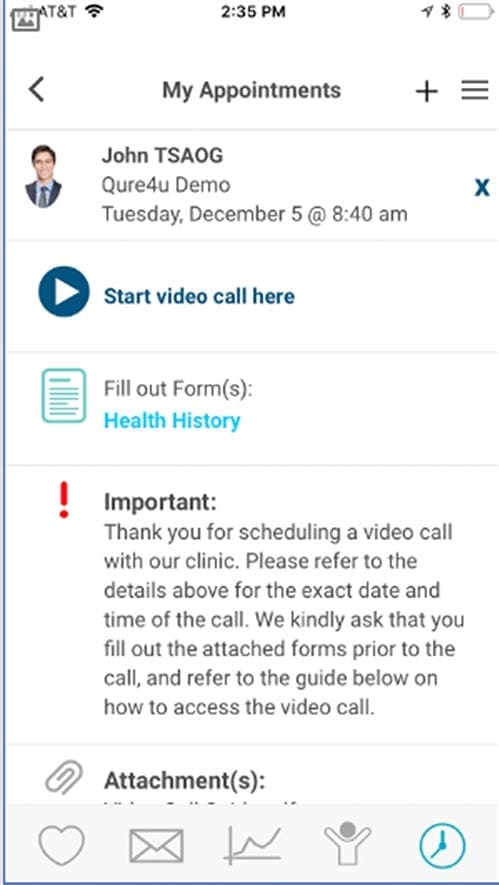
STEP 1
Log in to the MyCarePlan app and go to the appointment page Click ‘Start Video Call’
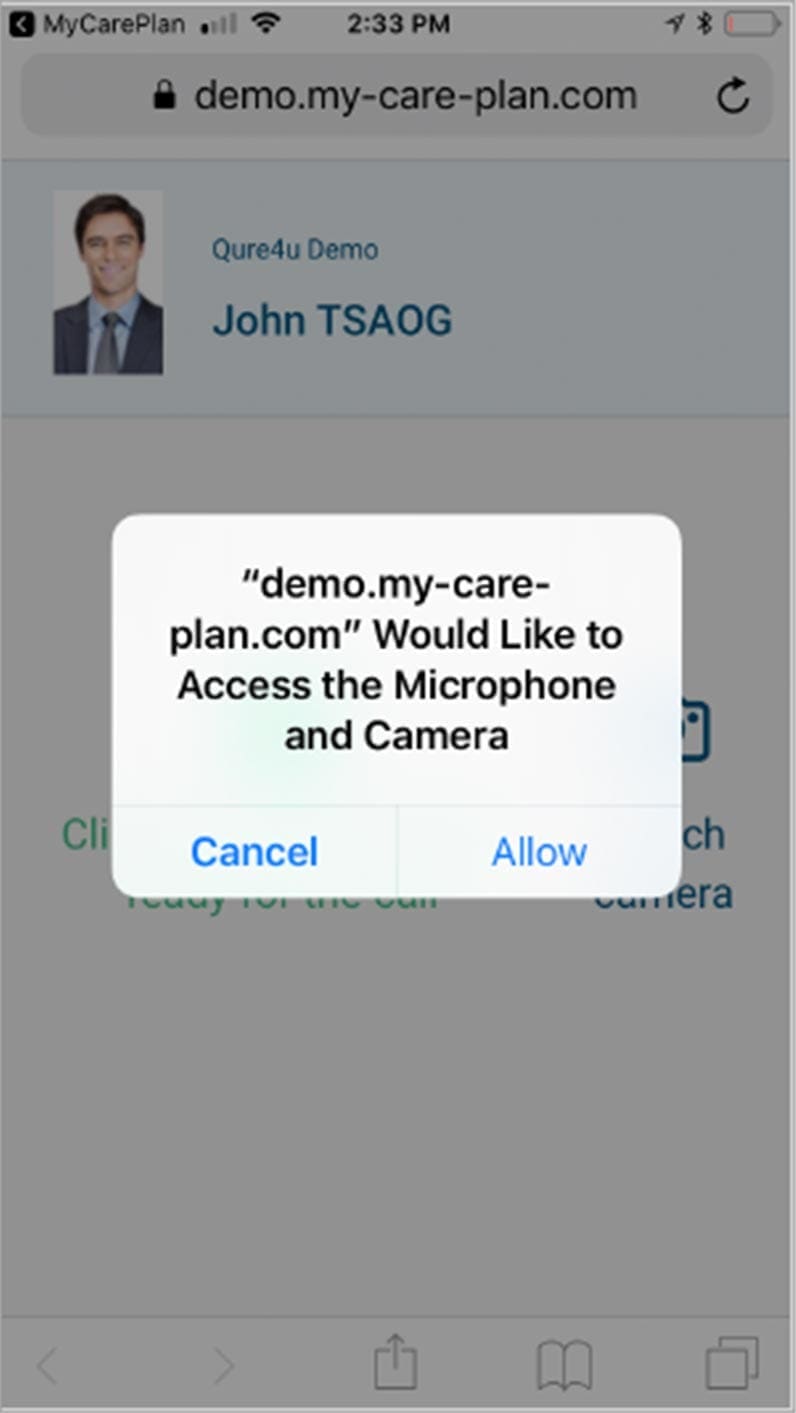
STEP 2
You are now redirected to the browser and will be asked to allow access to you camera – click Allow
Notice: First time you do this it might take a little longer to load the page.
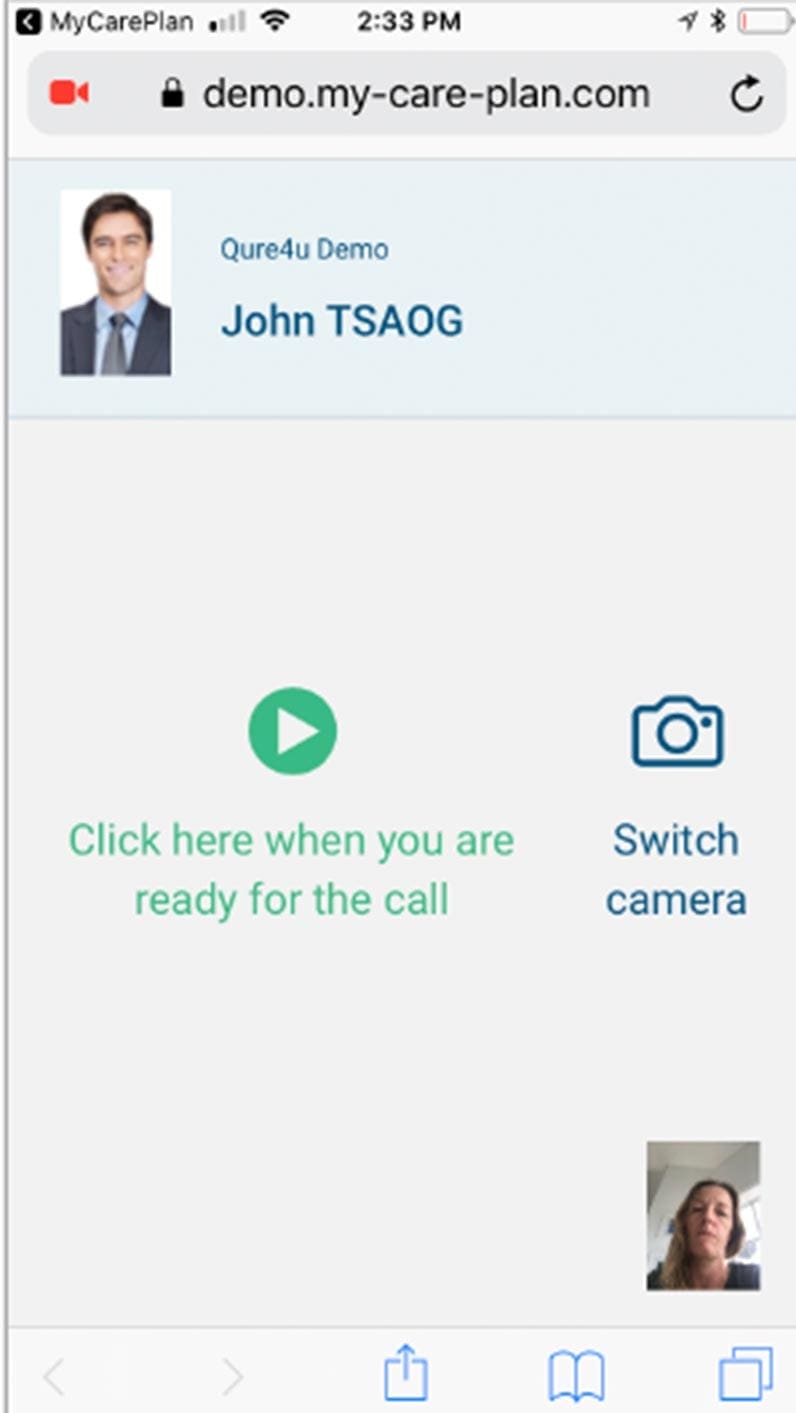
STEP 3
Click the green arrow to mark for the physician that you are ready If your camera is facing the wrong direction you can click Switch camera.
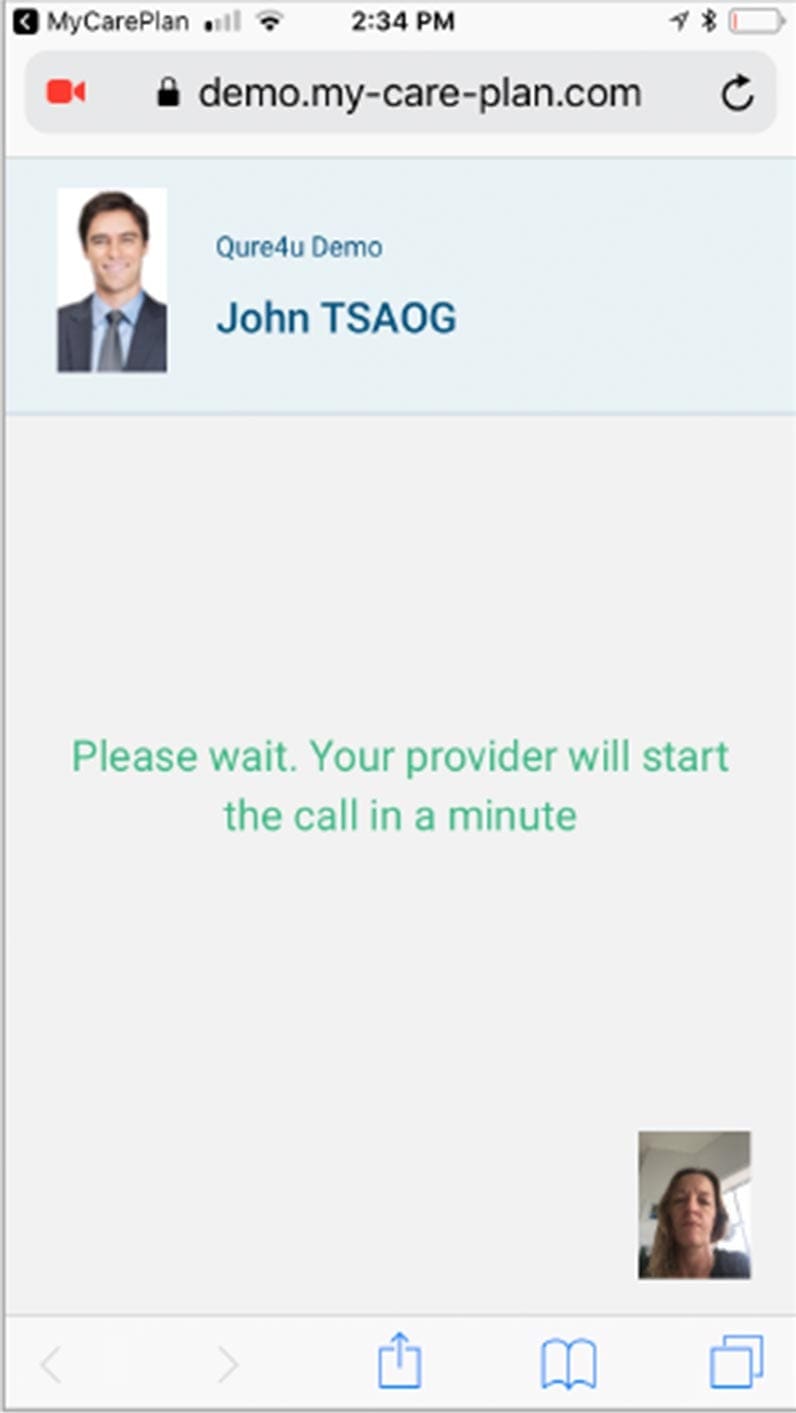
STEP 4
Now please wait, the provider will be joining the call when she finishes with her other patient.